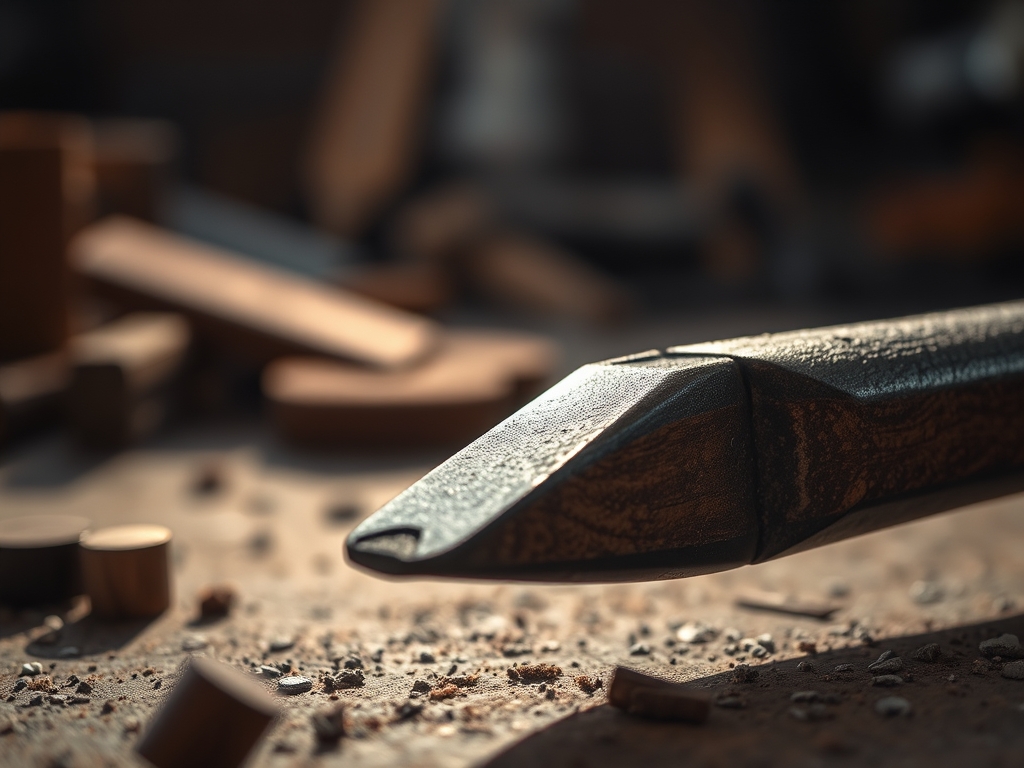

Imagine the scent of freshly planed walnut mixed with the sharp, metallic tang of cold-pressed steel. You are leaning over your bench, calipers in hand, trying to measure a tolerance of less than a millimeter, but there it is: a murky, deceptive grey blur cast by your own head. This is the ultimate betrayal of the craft. To achieve true precision, you must master Professional Workshop Lighting to eliminate the visual noise that obscures your grain direction and tool paths. When you finally flip the switch on a properly engineered array, the transformation is visceral. The wood grain stops being a flat surface and becomes a three-dimensional map of cellular structures. You can suddenly see the microscopic burr on your chisel and the exact point where your awl meets the fibers. This is not just about brightness; it is about the physics of photon distribution and the elimination of high-contrast silhouettes that fatigue the optic nerve during long sessions of intricate assembly.
THE STUDIO KIT

Building a shadowless environment requires a specific inventory of high-CRI (Color Rendering Index) components and structural hardware. You will need high-density LED strips with a minimum rating of CRI 95 to ensure colors are rendered accurately without a sickly green or blue shift. For the chassis, use extruded aluminum channels which act as a heat sink to prevent thermal degradation of the diodes. You will also need a polycarbonate frosted diffuser to scatter the light waves, preventing the "specular highlights" that bounce off polished metal tools and blind you.
For the installation, gather your precision wire strippers, a soldering iron with a fine conical tip, and heat-shrink tubing for insulation. If you cannot source aluminum extrusions, a Material Substitution would be high-grade PVC casing, though you must ensure lower wattage to avoid melting. For the mounting, use stainless steel machine screws rather than adhesives, as the vibration from an oscillating tool or a lathe will eventually cause double-sided tape to fail.
THE TEMPO
The Maker Rhythm for a lighting overhaul is divided into three distinct movements. First is the Calibration Phase, which takes about ninety minutes. This involves mapping the "dead zones" on your bench using a light meter or a high-sensitivity camera sensor. You are looking for LUX consistency across the entire horizontal plane.
Next is the Fabrication Phase, lasting roughly three hours. This is the tactile work of cutting the channels, soldering the leads, and testing the continuity of your circuits. Finally, the Integration Phase takes one hour. This is where you mount the fixtures and adjust the angles. Do not rush the soldering; a "cold joint" will eventually fail due to the ambient vibrations of a working shop, leading to a flickering nightmare that ruins your focus.
THE CORE METHOD
1. Mapping the Luminal Geometry
Start by clearing your bench and placing your most frequently used tools in their working positions. Use a handheld light meter to measure the drop-off in intensity. You want to achieve a "batwing" distribution where the light overlaps from multiple angles.
Mastery Tip: This step relies on the Inverse Square Law, which states that light intensity decreases inversely with the square of the distance from the source. By doubling the number of sources rather than just increasing the power of one, you create a "wrap-around" effect that fills in the shadows behind your hands.
2. Preparing the Extrusions
Measure your overhead clearance and cut your aluminum channels to length using a hacksaw or a miter saw with a non-ferrous blade. Deburr the edges using a fine-grit metal file to ensure no sharp points pierce the insulation of your wiring.
Mastery Tip: Thermal conductivity is key here. Aluminum is an excellent heat sink. By ensuring the LED strip is fully seated against the metal, you pull heat away from the chips, extending their lifespan from 10,000 hours to over 50,000 hours by preventing phosphor burn-out.
3. Soldering the Power Grid
Lay out your LED strips and tin the copper pads with a small amount of silver-bearing solder. Join your lead wires using a "western union" splice for maximum mechanical strength before applying the solder.
Mastery Tip: Use the principle of capillary action to draw the molten solder into the strands of the wire. This creates a low-resistance path that prevents voltage drop, ensuring the LEDs at the end of the run are just as bright as the ones at the start.
4. Diffusion and Final Mounting
Snap the polycarbonate diffusers into the channels. Mount the fixtures at a 45-degree angle relative to your primary work zone. This "cross-lighting" technique ensures that even if one hand blocks a light source, the other three sources compensate for the loss.
Mastery Tip: The science of refraction within the frosted diffuser changes the light from a "point source" to an "area source." This softens the edges of any remaining shadows, making them virtually invisible to the human eye and reducing the cognitive load required to process visual data.
THE TECHNICAL LEDGER
To maintain your new Professional Workshop Lighting, you must perform a monthly "Lumen Dusting." Fine sawdust is statistically attracted to the static charge of plastic diffusers; even a thin layer of particulate matter can reduce output by 20 percent. Use a microfiber cloth and an anti-static spray to keep the surfaces clear.
For Material Variations, premium builds can utilize COB (Chip on Board) LEDs which eliminate the "dotted" look entirely for a seamless bar of light. Sustainable shops might opt for reclaimed oak mounting brackets, though you must still use metal inserts for heat management.
The Correction:
- The Flicker: Usually caused by a loose ground wire. Check your terminal blocks and tighten all screws.
- Color Mismatch: If one strip looks "yellow," you have mixed batches of different Kelvin ratings. Always buy strips from the same production lot.
- Voltage Drop: If the end of the strip is dim, your wire gauge is too thin. Switch from 22AWG to 18AWG wire to handle the current.
Store your spare LED components in an anti-static bag inside a climate-controlled cabinet. Humidity can oxidize the copper pads, making future repairs difficult.
THE FINAL REVEAL
Flip the switch and watch the shadows vanish. The result is a workspace that feels surgically clean and infinitely more capable. When you pick up your jeweler's saw or your bone folder, the tool becomes an extension of your hand because you are no longer squinting to find your marks. The tactile feedback of your materials is now matched by visual clarity. You have effectively upgraded your most important tool: your eyes. The crisp, clean light bouncing off your bench makes every project feel like a masterpiece in progress.
STUDIO QUESTIONS
Why is CRI more important than Lumens?
Lumens measure raw brightness, but CRI (Color Rendering Index) measures how accurately colors appear. High CRI prevents "metamerism," where colors look different under shop lights than they do in natural daylight, which is vital for finishing wood.
How do I stop glare on metal tools?
Use a frosted polycarbonate diffuser over your LEDs. This scatters the light waves in multiple directions, transforming harsh "point" light into soft "area" light, which eliminates the blinding reflections on polished steel surfaces like saws or chisels.
Can I use magnetic strips for mounting?
Magnetic strips are convenient but risky. The vibrations from heavy machinery can cause the fixtures to shift or fall. For a permanent professional setup, use mechanical fasteners like machine screws to ensure the structural integrity of your lighting grid.
What is the best color temperature for making?
Aim for 4000K to 5000K. This range mimics natural midday sunlight. It provides a neutral white light that keeps you alert without the harsh, clinical blue tint found in higher Kelvin ratings which can cause significant eye strain.